Showing posts with label go LINUX. Show all posts

Thursday, December 20, 2007

The Making of Minor Report

...in moments of madness

We all are creators since we all have some really interesting creations to our credit. You and I have made tons of interesting rubbish (like assignments and notes and files and registers and slides and ……add thesis too) in our past and most of us will continue to do the same to make the economy stronger. Dunno why I inserted economy into this…anyways here goes my tale…

One day left before my minor project and I received an extraordinary idea…”why not submit a report along with the project, it looks nice”. Well it was unusual for me to get these types of ‘extra-burden’ ideas. So, what got me that idea? I took a dip into my memory blocks and got the answer….teachers aur kaun (who else)??

I with my project-partner ‘Money G’ started drafting the ‘report-to-be-submitted-after-one-day’ around 10 pm. Then we realized, ohh we haven’t done our project yet (FINGERPRINT RECOGNITION). We called up friends and techies and non-techies and … (infact we called everybody except police, ambulance and fire-brigade). Indians know their juggad and bingo! we too got the problem sorted out in style (esp. thanks to JeetS).

Around 2 am something happened. Everything was going smooth. The report was in vicinity to completion. But then, suddenly I saw some indentation errors and the next moment, I was glaring at a rapidshare link for downloading Foxit (software for editing pdf! Yeah PDFs can also be edited). I generally don’t use Windows for downloading from non-trusted sites, but my greed for sleep compelled me towards downloading from rapidshare and before I closed my eyes; my computer did, with some ugly unfavorable unwanted and unusual signals. When I restarted, I could read my night’s fate…

“picture abhi baaki hai mere dost”
(movie is extended by a few more hours)

Those moments of madness took away my sleep that night.
But thanks to Linux (Fc6), I was able to make backups for all the work and simultaneously, a phoenix rose within me thanks to the trio of (Die Hard 4 + Fc6 Dvd + a Centre-Fresh)…and…

I DECIDED TO FORMAT

Though it wasn’t necessary since I had Linux as the life-saving OS, but without ado I went ahead with my momentary decision.


Installing Windows is great time-pass. The jokes which appear on that pale-blue monitor keeps the smile on your face intact during that 39 min setup wait. Some of my favourites :-


1) Work anywhere, anytime (it was 3:15 am by my watch, the time when I read this)
2) The most dependable Windows (not without an anti-virus…that too UPDATED)
…
…
n) Your computer will be faster and more reliable (but this becomes obvious once you format your Windows drive! don’t you think the same??)

Soon I was able to see the clean face of windows and immediately set the priority of updating my anti-virus from last to first. What I wasn’t able to understand why we take momentary decisions? Why do we listen to voices of madness? On restoring my net connection, I tried Googling for an answer. Google gave me many examples (such as AIDS cases, road accidents, etc) but didn’t return any satisfactory reasons. I am still pondering on why I went for that link and then why I went ahead with the format decision…
Humans have brains but they have to recharge with sleeps to run them. So, I went into my heaven for a nice resting period. But still the questions remained unanswered…

Tuesday, February 06, 2007

Microsoft@Linux Asia, 2007


After last year's 'GRAND' Linux Asia at Delhi, this year it again revisited the auditoriums of IHC (Indian Habitat Centre). The three day conference stretched from 31st Jan to 2nd Feb. But frankly speaking, the show was quite disappointing this time around. The theme of this year's Linux Asia seems to be titled towards business and not on innovation. Many open source promoters like Red Hat and Mandrake remained absent this time around from the sponsor's list. Also, no major open source idol was present except Klaus Knopper (creator of Knoppix). But the most astonishing thing was the presence of Microsoft. Microsoft made its presence felt as the interoperatability sponsor in this year's Linux Asia.

And took the best opportunity for advertising its new operating system, VISTA. What an idea to hype their product in front of open source distributors!! Not suprisingly Microsoft had the biggest stall amidst all other sponsors...through which...they were publicizing MS's new os - VISTA. Some more products were also there, but me will be concentrating on VISTA only.

Ques) Is it worth-it?
Ans) A big NO (if you use Linux), otherwise just NO (if you use XP).

Ques) Ok! I am still on XP, then should I switch over to VISTA?
Ans) READ - FURTHER

I got a 40 min chance to play on that machine and sadly, I wasn't impressed at all. The basic theme of VISTA is to provide a good visual experience to the user. BUT in order to achieve the BEST output, the kind of inputs which VISTA demands is appalling. Note: for best outputs, you need to have 2GB RAM (costs Rs. 5000), in addition to that, a good processor (P4 or Dual). Also, the opearating system itself takes 7GB of Hard Disk, plus the 'Aero' desktop demands 46 MB of RAM at any given time.

Ques) What's new in it?
Ans) Front end functionalities: VISTA's USP - Highly Updated 'graphical user interface' (GUI) with 'Aero' interface that opens in translucent panes, a good looking sidebar, media centre enabled, groove configuration (personal desktop speciality), IE 7 with better security, improved search cum navigation mechanism. Back-end functionalities: add-ons in back-up and restore facilities, improved security, speech recognition.
(reminder - please check your PC's capablity)

Also, these are new things if you are an XP user (subject to your hardware config.). For Linux users - no such special findings (but you will find the GUI really adorable).

Comparison b/t Linux & Vista :-

1) At present too, Linux distros (like FC 6, SUSE 10.2 and many more) provide you with a great GUI - 3D desktop sidespining around a cube, shaky windows, etc.
2) Also, security wise, Linux is unmatched. An interesting incident - on being asked "Difference b/t Linux & VISTA on the basis of security", the MS's technical guy replied "What great has open source delieved...just firefox"...shear frust shown, I guess!!
3) My next point - inclusion of IE 7 but then you have mozilla firefox from long time back.
4) The non-3D featues of Vista can be achieved by an XP user very easily. Many innovative and good looking downloadable themes are available on the net for free.
5) The big reason - U Have To PAY for Vista (cost of buying depends - pirated / original) BUT Linux comes FREE!!

(Just go to any distro site n download for free....burn on CD/DVD...install...play)

MY Answer for Ques No. 2 i.e. switching from XP to Vista
my word on that - WAIT. I can't write NO because if your neighbour installs Vista, he will surely hype and mock at others...then you too will switch......

BUT...then, you always have the option of Linux....go for that and join the open source community( in which, Nobody (& Everybody) owns the community) ;)

Some pics of my SUSE desktop...a treat to eyes ;)

Desktop's Rotations :


TRANSLUCENT panes @ SUSE's DESKTOP

(click at pics for full view)

oh!! 1 min guys....before leaving see some more features of VISTA (click) (;

(Disclaimer - I may be missing some pivotal advantages and noteworthy disadvantages of Vista and some more issues esp. various technicalities such as cache memory usuage, type of allocation system used, etc etc......please mention down in comments)

(c) Ankit Gupta, 2007

Wednesday, November 08, 2006

Simplest LINUX installation manual

Renowned web-designer and open source user “Mr. DEVESH KUMAR” (alias DK) has contributed to world by giving “10-STEP MANUAL for starters”…it can be generalized for all LINUX flavours.

1) Insert the CD in your CD/DVD drive.
(make sure your system is configured as ‘boot from CD/DVD’ in Bios setup)

2) ?boot:/? will appear on screen. Just hit enter.
(let Anaconda do his work for a while)
Note: anaconda is one of the installer for Linux flavors.

3) Choose normal options such as language, country, time etc as your choice on the screens.

4) Configure your boot loader (choose one Grub or LILO) and default boot partition
i.e. Linux or other.

5) Now hopefully you will reach on partition menu screen
( It’s a very important step for a successful Linux installation??. So, do it carefully)
a) choose custom or manually partition option on the screen.
b) make a free space as you or your hard disk afford.
c) now create a ROOT partition i.e. mount point=?/? space = 3gb or more
d) another partition SWAP i.e. mount point = swap space = _____ ( this valve should be more than twice your RAM, i.e. if you have a RAM of 256, this the valve >512).

Note: SWAP partition is not always needed but in fact it should be.

6) At this juncture, half of your task is over.
Now choose your root password and login
name (root password should be easy to remember otherwise Linux become Hell)

7) At this step you will find a package selection menu
a) choose ‘minimal’ or ‘default’ option on the screen
(it will only minimum package required to run Linux and take least time(10-15 min) to install)
b) Choose ‘select all’ option
( it will install all packages selected by you but take more time ( 40-60 min) to install).

8) Just wait…and enjoying the merry TUX
(the animal you see in the surrounding pictures is actually the LINUX mascot...TUX).

9) Another important step for your system configuration. Here you should check your
system drivers specially Graphics and Sound Cards, otherwise it will goes in text mode
after Rebooting.

10) Take out your disk from drive and Reboot your system.

11) Once your computer restarts, you see ‘GRUB loading’.
Press any key to access menu of different OS on your computer.
Once the starting process ends…open up your newly loaded LINUX OS (again a reminder DO REMEMBER YOUR USERNAME and PASSWORD”…and once you log in
enjoy the cool desktops!!

UBUNTU desktop.

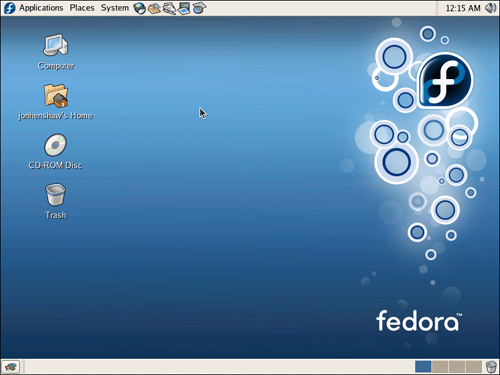
FEDORA desktop.
MANDRIVA desktop.
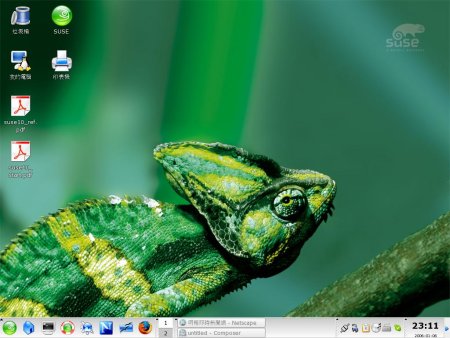
SUSE desktop.


Remember LINUX is free!! and may the 'SOURCE' be with u

Note: if you feel some problems during installation just mail Mr. Devesh Kumar at dost4frnd@yahoo.com or post your doubts here!!

Friday, August 04, 2006

LINUX ASIA 2006 @ IHC, New Delhi, India

Delhi’s hub for various conferences, Indian Habitat Centre at Lodi Road witnessed this year’s Linux Asia Meet which was held between 8th to 10th February. IHC was the perfect venue for this type of meet as you don’t have much gawkers here. As the venue, the sponsors were also very catchy…as expected. The range of sponsors varied from Oracle, the database giant to the famous online job portal, naukri.com. Also making there presence felt were big open source promoters such as Red Hat & Novell. Companies like HP and Dell, best known for there offerings on IT infrastructure were also on with there latest achievements and peripherals. And ending the elite list of sponsors were Intel, IBM and Google…no prize for guessing who didn’t participated in the event…Microsoft obviously.


DAY 1


The inauguration was done by widely known Dr. Deepak Phatak, who is currently the Chair Professor at KReSIT, IIT Bombay. He enlightened the audience with his ideology on open source software. Eklavya, a project started at IIT Bombay under him was widely appreciated. Next in line where keynotes from Oracle, HP and Red Hat showcasing the usage of open source in there respective firms.


The first presentation of the day was of Google. The Google team talked about there support to the ecosystem of open source. A considerable part of the talk was based on various open source awards given away by Google; the best being Google’s ‘Summer of Code’… (In the interest of students) this event from Google had a placement upto the figure of 84%.


Presentation from Mr. Bebo White, a professor from Stanford University was based upon web applications especially web 2.0 and got a great deal of attention.


Infosys prepared an exhaustive talk on the active use of open source in Java, J2EE and also informed about the latest trends and tools used currently.


The most awaited event of the day was the session with cosmonaut turned IT entrepreneur Mark Shuttleworth. He and his product, Ubuntu (ya!! an interesting name…meaning ‘peopliness’) both won trophies at the Linux New Media Awards during the November 2005 Linux World Expo in Frankfurt. He addressed his thoughts about open source and how is he implementing it. The millionaire from South Africa also made enthusiastic commitments of sponsoring projects and hiring in India.


Day 2

Day two was all together THE Fedora day (according to Red Hat, Fedora is its lab version; somewhat like a beta version).

The first stop on the second day was of Novell/SUSE (surprisingly; the second day being the Fedora day). SUSE, a big boy among European IT techies came up with a cool looky, NLD-10 desktop. Mentionable features of NLD-10 – Open office 2.0, Beagle search, Banshee, Fspot, Tomboy and many more. The team also mentioned about there ongoing efforts in improving KDE and GNOME desktops. NLD-10 is also incorporated with MONO, a feature rich development platform for an open source .NET framework implementation.


IMAGINE the POSSIBILITIES! “Next 10 years, you won’t be able to save data (including films, songs, etc.) on our computer. Next 20 years from today, there won’t be any software (for computers) anymore. 30 years from today, there won’t be more computers. 50 years down the line, most people won’t know how to operate computers. And finally 100 years from now, human would be a highly endangered specie…After that, earth’s new tenants would be aliens”…by the way the above mentioned lines are the titles for some of the slides. That’s what you expect in the best and the most entertaining event of the day, which was a keynote session with Mr. Klaus Knopper. Knopper, who is the creator of Knoppix, provided the audience with a highly hilarious philosophical talk and also made a mockery of the present day license system, thereby promoting the concept of free open source software.


THE Fedora Day was celebrated in ‘bits n pieces’. Fedora came up with many informative presentations on different topics like the use of MONO, Fedora translators, process of localization, etc. Fedora day ended with an address from Christopher Bizzard. He pointed out the difficulties in creating drivers for various peripherals like printers, scanners, etc. He also talked about 3D Graphics and various video cards for making desktop a good experience. Lastly, Fedora declared the release of fc5 (Fedora Core 5) in the next few months.

DAY 3


Day 3 being the last day also had some informal activities amidst the technical talks and various workshops. Many companies were offering various promotional stuff and at one point of time all tech buffs stalls and pavilions were looking like mela stalls (especially the Red Hat stall…thanks to there dartboard game).


Day 3 started with a conference keynote delivered by David Axmark (co-founder, MYSQL) followed by a presentation by Mary Ann Fisher of IBM.

Post lunch session was resumed with a lecture, delivered by Mr. V Ponraj (Director of Interface Technology for the President). His exhaustive lecture touched various aspects of the IT revolution in India. A roadmap of the work to be done in the field of IT till the year 2020 was also presented. In this roadmap, projects like National Identity Card (something on the bases of smart card) were widely discussed. Topics on eGovernance initiatives were also talked about. His presence also gave the opportunity for the big companies to discuss various hindrances which they face in India.


Next on the itinerary list was the discussion with Brian Behlendorf (founder of Collabnet). The Apache guru talked about his current plans on the Apache Web Server. He also expressed his views and thoughts on how a casual user can become an expert and how can a path submitter turn to a core developer in the open source field.

Danese Cooper of Intel and OSI presented the last keynote of the 3 day expo. She promoted the concept of FOSS (free open source software) by giving examples from day-to-day life in a very inimitable style. She also focused on the participation of women in open source world.

So! What was the moral of the trip?
Open source ecosystem doesn’t have CEOs and Managing Directors; it has only VOLUNTEERS (committed to work 24*7).

“Nobody (& Everybody) OWNS the community”. – with this motivating message, LINUX ASIA 2006 ended.